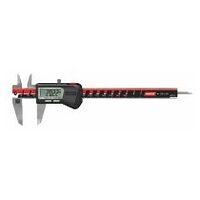
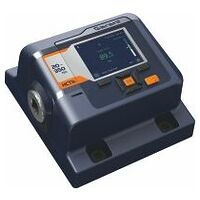
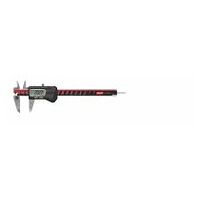
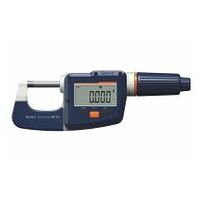
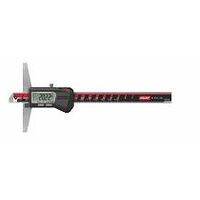
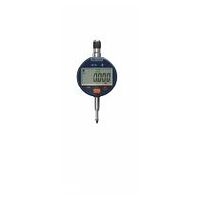
Hoffmann Group Connected Tools – Windows app
Digitalise measurement processes and record them automatically
Would you like to make workflows more efficient and better integrate them into your production process? Are you looking for a functional and flexible solution with worker guidance for your production? Do you want to automate your documentation process and make it more reliable? We have the perfect solution for all your needs: the HCT Windows app.
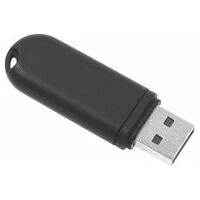
It's very simple: order the HCT-Dongle from the eShop, download the software here, install it on a Windows device and get started with your HCT tools! This overview shows which HCT tools are compatible with the HCT Windows App.
The HCT Windows app offers you a number of advantages

Easily connect tools and transfer data wirelessly
Easy connection between app and measuring devices via Bluetooth®, with no annoying cables.

Central management of the measuring applications
Tools and measuring applications can be set up centrally and then easily transferred to production.

Easily create and customise workflows
Workflows can easily be created and adapted flexibly. No additional services and associated costs or training are required.

Automated and error-free recording of measurement data
All measurement data is reliably recorded and can be called up at any time. The automated transfer avoids errors and all measurements can be traced at any time.
Download HCT Windows app
Version: 2.14.112
Languages: de, en, fr, it, sk, es, pt, da, pl
Size: 32 MB
Date published: 20.01.2026
Windows operating system: Windows 10 or higher
General terms and conditions and terms of use
Release Notes for HCT Windows app
The following changes, improvements and bug fixes have been implemented in the latest software versions:
Version 2.14.12
- Bug fix: Operator could not input number of iterations
Version 2.14.11
- New: Timer function in manual mode for continuous polling of measurement values
- Bug fix: MUX Input not automatically starting.
Version 2.14.10
- Fixed false-positive error dialog showing up while changing databases.
- Fixed working plan repeating measurements even when "no repetition" is configured.
- Fixed Garant TS always reporting Nm as measurement unit in indicating mode.
- Fixed master data query not allowing to enter an iteration count when a bar code scanner is used.
- Fixed bar charts calculating a wrong display range for CCW measurements.
Version 2.14.8
- Fixed a warning about a not explicitly defined column with in the application log.
- Fixed trace curves only being recorded once when the same the device is used repeatedly.
- Fixed master data migration not being applied when loading an already existing default database.
- Fixed database history being lost during configuration upgrade.
Version 2.14.6
- Extension of the work plan to support multiple runs; steps can be assigned to individual runs.
- Extension of the report function to include master data.
- The loosening of screw connections is documented as an option.
- Date-based calibration intervals can be read and written for Garant measuring equipment.
- Measuring devices that are no longer calibrated can be excluded from the work plan.
- Images for work plan steps can be captured using a webcam.
- Improvement of database import
- Bug fixes
Version 2.13.7
- New: Open Protocol Client functionality: Control of Open Protocol-based devices in the work plan
- Recording of live torque and angle values in a .csv file
- Most settings have been moved to the database so that they can be shared by all computers.
- Option to display working plan information, such as layer name or step name, on the torque wrench
- Backup copies of reports can be created if the original report fails to write.
- For further changes and detailed descriptions of the functions, see the user manual.
Version 2.12.10
- Fixed open protocol server: No negative values.
- Open Protocol: Result of Toque and Angle are Zero if screw was actuated against setpoint direction.
Further downloadsFirmware-Updates
Find the correct firmware version for your HCT product here.
The right solution for everyone
Modern features to optimise your production process
- Worker guidance – visually supported with images for each screwdriving case
- Password protection to prevent unauthorised access
- CAQ connection (MUX50, DMX16 protocols)
- .csv or .dfq files stored in a local folder
- The workpiece’s serial number is linked directly and automatically to the associated measurement value Up to 16
- HCT tools can be connected to a PC/laptop at the same time for each dongle
- Processes can be planned via the app (thanks to the bidirectional interface, screwdriving cases do not need to be created on the tool)
Dongle and compatible tools for the HCT Windows app
FAQ – Frequently asked questions
Which firmware version does my tool need to use the HCT Windows app?
GARANT electronic torque wrench 655010: Firmware Version: 3.31; BLE Version: 0.89
HOLEX Electronic torque wrench 655025: Firmware Version: 1.1.5; BLE Version: 1.2.22
Here you will find the latest firmware versions for your HCT tools.
Which version of Windows is required?
Windows 10 or later
How far can the computer and the measuring device be from one another?
In industrial environments: approx. 15 m
How do I connect the HCT Windows app to my CAQ software?
The HCT Windows app allows data to be transferred to CAQ systems via COM ports. We recommend the use of virtual COM ports as provided by the Null-modem emulator from com0com (the link to this can be found further up with the downloads). The measurement values can be sent using the MUX50 or DMX16 protocol. If it is not possible to install suitable null-modem software, a hardware null modem can be used. If this is the case, please contact our support team, who can offer you a suitable device.
How do I uninstall the HCT WIN software?
As per the standard Windows uninstall process
Looking for advice about HCT?
Contact our HCT experts at any time. We would be happy to advise you on the HCT Windows app or the topic of connected tools in general.
You may also be interested inDirect purchase
Add articles directly to the cart:Products found:
-
Article no. {{ combinedCodeWithHighlight }}Article code:EAN / GTIN:Manufacturer number:Cat. Nr.:
No products were found for your search term
Please check your entry or adjust the article number / article code
This article cannot be ordered.Services cannot be ordered without the right article. Please add the service to the desired article.Further configurations on the product detail page are necessary for this article.Please check this specification or adjust the article number / article code.Please select a specific variant.An error found the way into our system.This article is not available anymore.Login
Set commission
Your customer card
Please present the QR code at the checkout.Retrieved on


